¶ Pre-Requisites and Disclaimer
- I am assuming that you have advance knolwedge in networking.
- This guide is not from Time nor endorsed by Time.
- Use this with caution and accept relavant FUP.
- Figured out how to obtain the below information
- You will still need Huawei ONU for that, because I still unable to get it working on SFP stick.
- Your existing ONU telecomadmin password. The default one should be TIME(l4 digit last MAC)
- SIP crendetials
- Which VLAN the SIP service used (140 - At least for TIME)
¶ Obtaining your SIP credentials
- You can obtain them from TIME directly or perform the below steps.
- Obtain them from the downloaded configuration file. (You need to login as telecomadmin)
- Decrypt the password you saw in the config file using this link. https://andreluis034.github.io/huawei-utility-page/#cipher
¶ Required Networking Setup
-
You will need to sacrifice one additional LAN port in your Huawei ONU and your router (recommend advance router with Mikrotik that support VLAN and conditional routing), one additional networking cable.
-
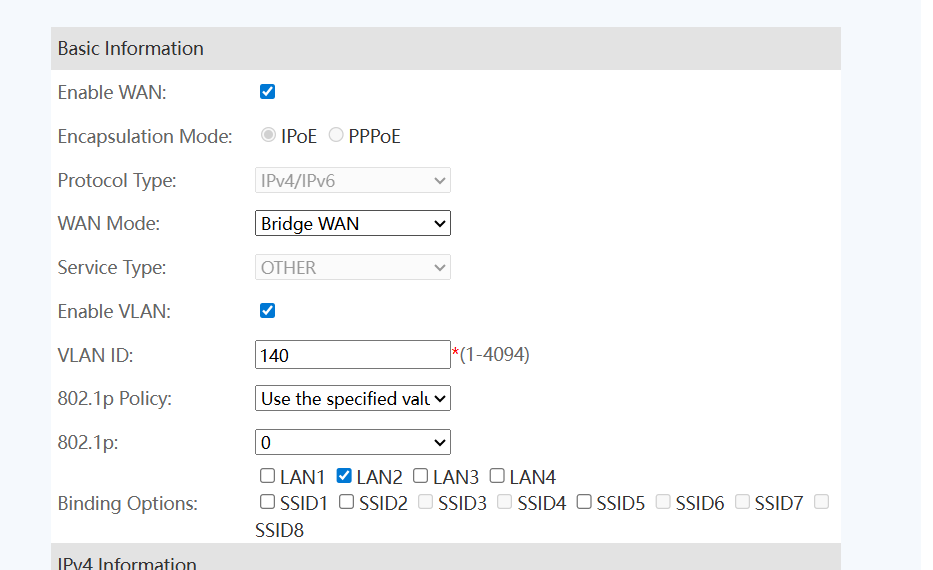
Under WAN, create a new configuration and set the below -
Connect the LAN2 of the ONU to your router / machine that is hosting FreePBX (ideally have 2 LAN ports)
-

By using tools like Torch (In Mikrotik) or Wireshark, scan the interface which is connected to the LAN2 of the Huawei ONU. If you see sth like this, you are halfway there. -
Configure IP Address on the interface.
Configure the IP Addr by copying exactly from your Huawei ONU. That includes IP, Subnet, DG and DNS. You can look for 1_VOIP_R_VID_140 under WAN configuration from your Huawei ONU. After you have copied it, uncheck the “Enable WAN”. -
Setting Up NAT and Routing
- Configure DSTNAT to that router interface (If you are using router)
- You need to route this IP 210.19.57.250 by forcing it to go through that said interface
- Add routing for entire 10.88.X.X by forcing it to go through that interface as well.
- Add routing for 172.16.1.0/24 to that interface as well
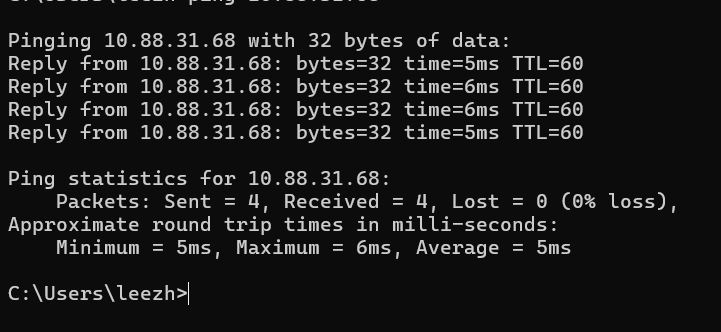
- Testing before proceeding.
- Try to ping 10.88.31.68 to see if you can receive response.
¶ FreePBX Configuration
This configuration is tested with ability to make and receive calls
- Create a new PJSIP Trunk
- Follow the below configuration
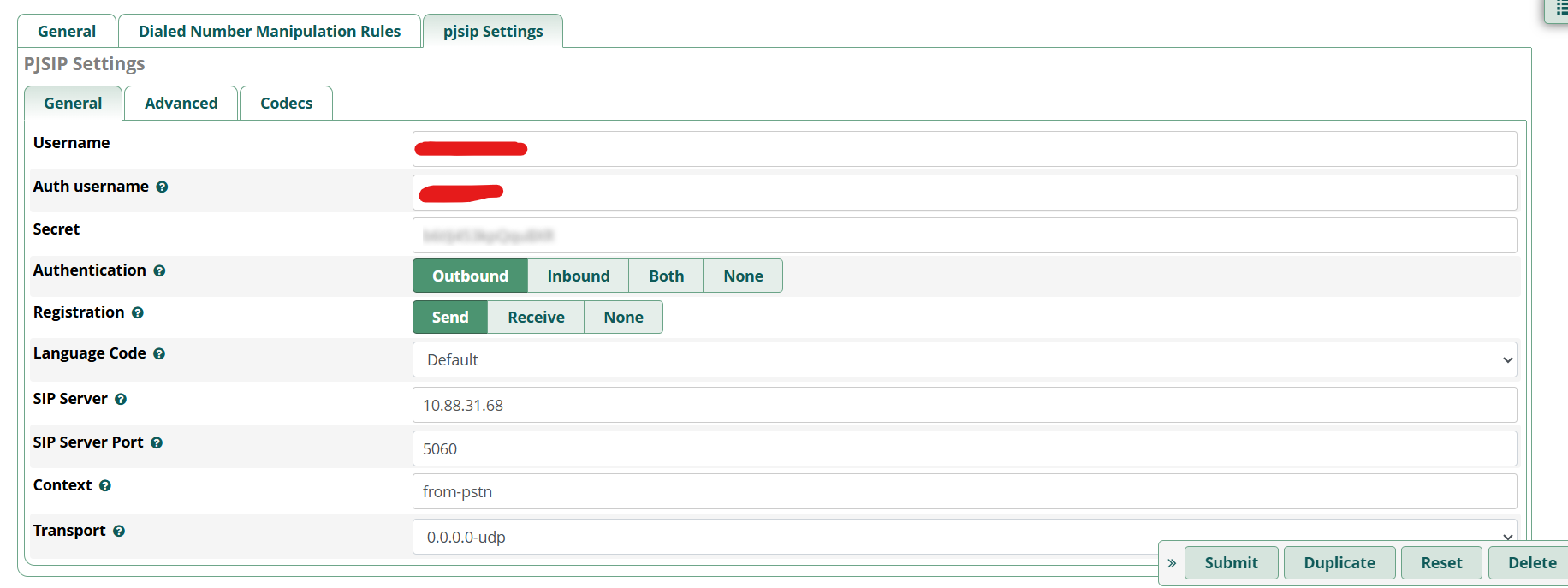
Username: Your Time 03XXXX
Authusername and Password: Refer back to your downloaded XML Config
Under Advanced Tab
OutboudProxy: leave empty
Contact User: leave empty
Contact User: 03XXXXXXXX
From User: 0XXXXXXXXX
Client URI:sip:03XXXXXXXX@10.88.31.68
SIP URI: sip:03XXXXXXXX@10.88.31.68
Trust RPID/PAI: YES
Send RPID/PAI: BOTH
Inband Progress : YES
Direct Media :YES
REWRITE CONTACT: YES
AOR Contact: sip:03XXXXXXXX@10.88.31.68
No mention, leave it as default
You should be able to make and receive calls now and play your custom on hold music.
¶ Some Troubleshooting Guide
If you are facing issues, try set it up using 3cx softphone first, to ensure everything works.
- You can use Wireshark to capture SIP traffic that made from 3cx
- Compare it with the SIP header from FreePBX (obtain it by using pjsip logger on after astriek -rvvv)
¶ How I got it works on ODI DFP-34X-2C2
First do omcicli mib get 84
EntityID: 0x01 FilterTbl[0]: PRI 0,CFI 0, VID 140 FwdOp: 0x02 NumOfEntries: 1
Take note on the entity id. Then issue the below command
omcicli mib set 84 0x01 FwdOp 0x02
Replace 0x01 with the entity id that contains the voice VLAN ID
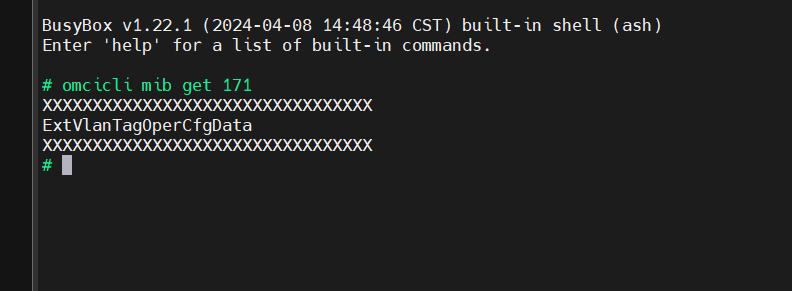
The reason because ISP OLT side didn’t send in VLAN operation instruction.
You will need to create a VLAN interface with VID 140 under SFP interface. Set the VLAN interface to a new bridge, which is meant for voice purpose.
Set IP Address on the new bridge
Create DSTNAT rule for the new bridge as outbloud interface
Let’s hope TIME don’t make funny move.
Good Luck Hacking